Use the LOS Statement page to review Lease Operating Statement data across properties, fields, entities, accounts, categories, and reporting periods.
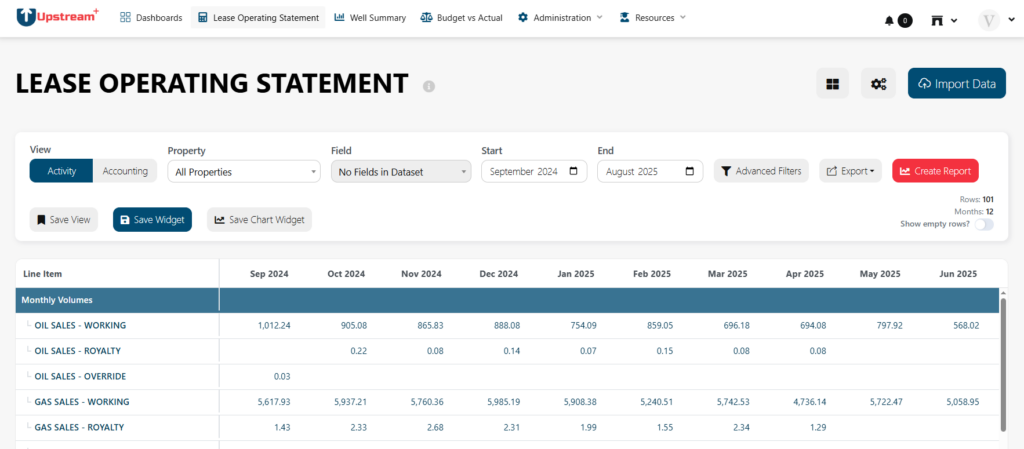
This is the main reporting view for imported LOS data. It helps you understand revenue, expenses, activity, and operating performance for the selected filters and date range.
When to use this page
Use the LOS Statement when you want to:
- Review operating activity for one or more properties
- Compare revenue and expense categories
- Analyze results by field or property
- Switch between activity and accounting views
- Drill into supporting detail
- Export LOS data for review or reporting
- Confirm imported data appears correctly
- Review how LOS Settings and account mappings affect the statement layout
If you recently imported data, this is usually the first report to review.
Before you start
The LOS Statement depends on imported LOS data and the configuration in LOS Settings.
If the report looks incomplete or unexpected, check:
- Whether data has been imported
- Property and field filters
- Start and end month
- Activity vs Accounting view
- Account mappings in LOS Settings
- Financial system and COA settings
- Whether the selected property or field has data for the selected period
Filters and controls
The controls at the top of the page determine what data appears in the LOS Statement.

Property
Use the Property filter to view data for a specific property or for all properties.
If multi-select is available, use it when you want to combine multiple properties into one view.
If expected data is missing, confirm that the selected property has imported activity for the selected date range.
Field
Use the Field filter to limit the report to a specific field or group of fields.
This is helpful when users review assets by field instead of individual property.
If a field does not show expected activity, check the imported data and property-to-field mapping.
Start and End
Use Start and End to set the reporting month range.
The LOS Statement updates based on the selected period. If numbers appear too low or too high, confirm that the date range matches the period you intended to review.
Activity vs Accounting view
Use the view selector to switch between available report views.
Activity
The Activity view is generally used for production or operating activity-based reporting.
Use this view when you want to understand activity tied to operational periods.
Accounting
The Accounting view is generally used for financial or accounting-period reporting.
Use this view when you want to review values based on accounting dates or financial reporting periods.
The best view depends on how your organization reviews LOS data.
Reading the LOS Statement
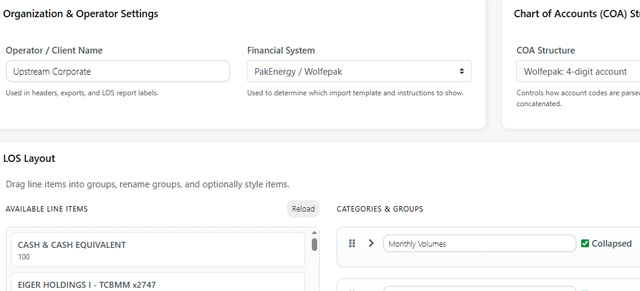
The LOS Statement is organized using the categories, groups, and account mappings configured in LOS Settings.
A typical statement may include sections such as:
- Revenue
- Deductions
- Lease operating expenses
- Taxes
- Transportation
- Workover
- Capital
- Other income or expenses
- Totals and subtotals
The exact sections depend on your organization’s setup.
Start by reviewing high-level totals, then expand or drill into sections that need explanation.
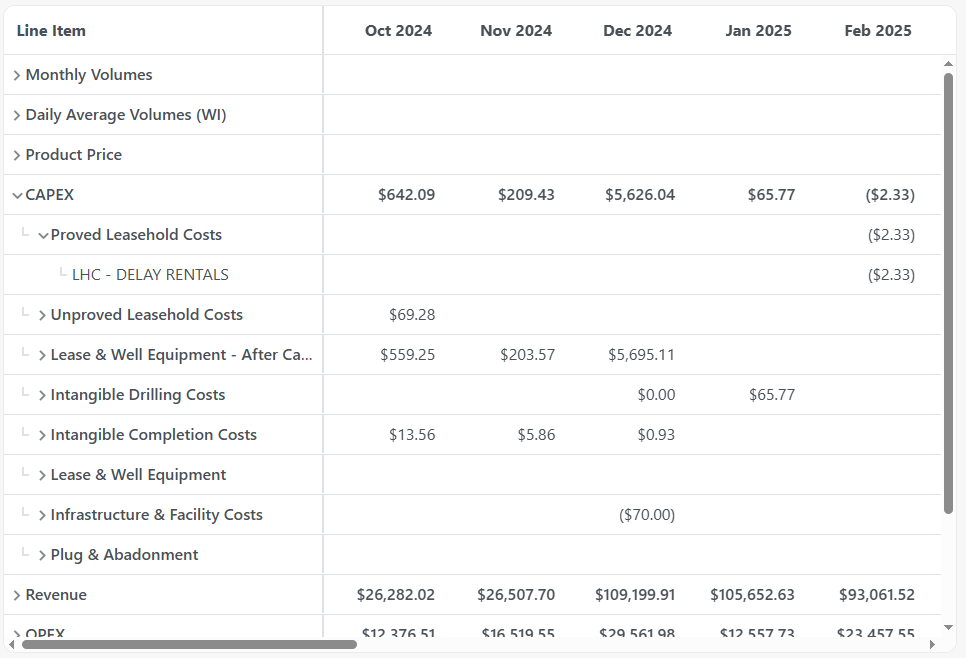
Categories and groups
Categories and groups come from LOS Settings in the Layout Builder.
Categories
Categories are the major sections of the LOS Statement. They help organize the report into broad financial or operational areas.
Groups
Groups sit inside categories and organize related accounts.
For example, a Revenue category may contain separate groups for oil, gas, and NGL revenue. An Expense category may contain groups for labor, repairs, disposal, chemicals, and other operating costs.
If a category or group appears incorrect, review LOS Settings.
Account-level detail
Depending on the report setup, the LOS Statement may show account-level detail under each group. Use account detail to understand which accounts are contributing to a total.
If an account appears in the wrong section, the account mapping may need to be updated in LOS Settings.
Drilldown modal
Some values in the LOS Statement may open a drilldown modal. Use drilldown when you need to see the detail behind a summary value.
The drilldown may show supporting rows such as:
- Property
- Field
- Account
- Account name
- Accounting date
- Activity date
- Vendor
- Invoice or reference number
- Category
- Amount
- Source file
- Source job
- Link to the original record, if available
This is useful when a total looks wrong, unexpected, or needs explanation.
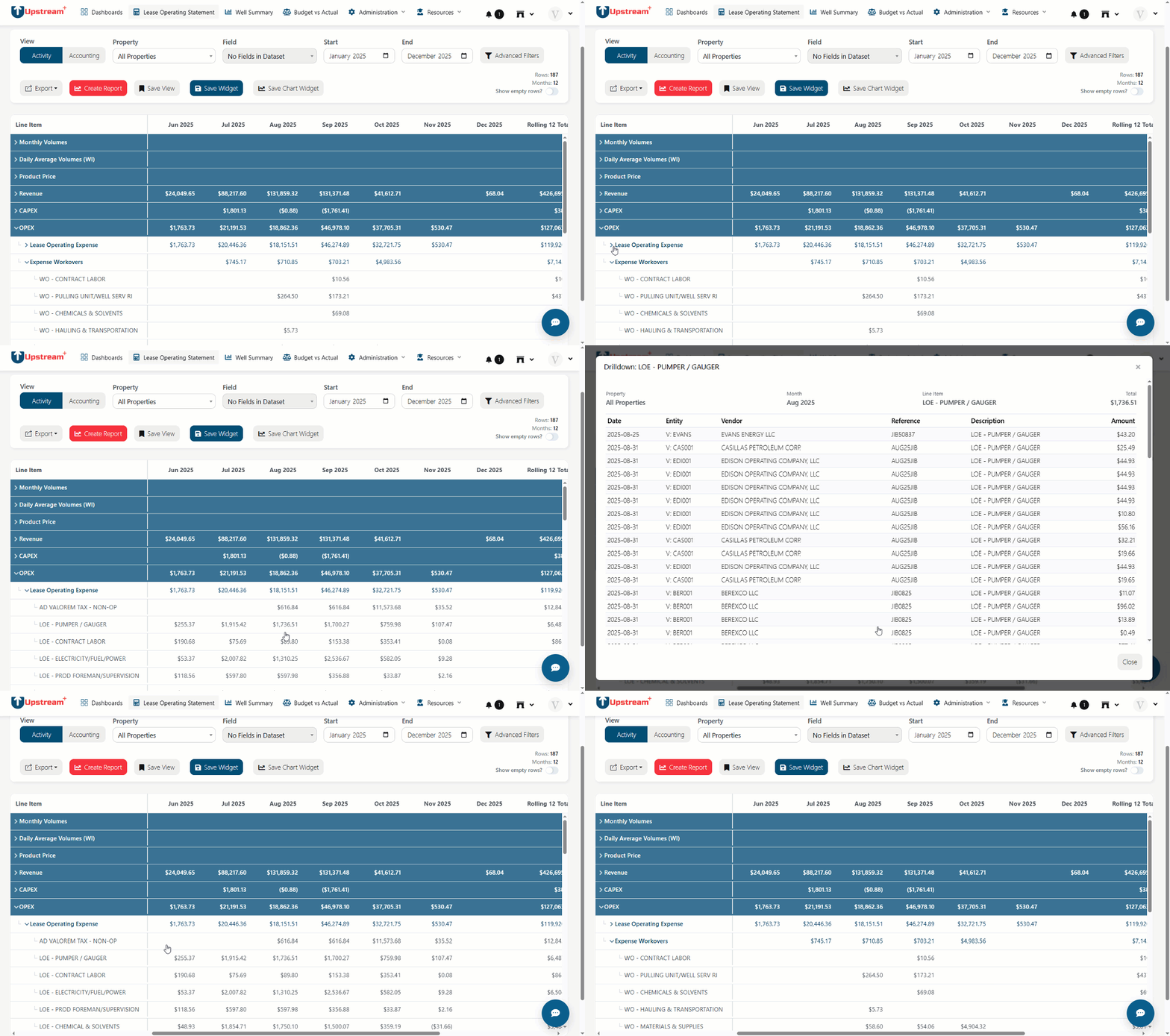
Row Count & Groups
- Rows: total number of data rows visible. If you see a mismatch:
- Expand groups to reveal leaf rows (the count may show top-level groups vs leaf rows).
- If your table is paginated, the
Rowsnumber might display the page count; use Export to see the complete dataset.
Tips
- Toggle Show empty rows to surface categories that have no values but are present in the layout.
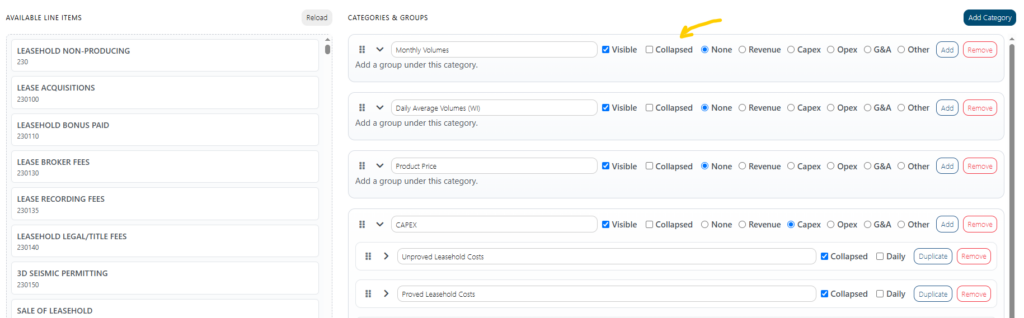
- Use the “Collapsed?” checkbox in LOS Layout builder to adjust the LOS rendering if you’re frequently expanding the same sections.
Save View
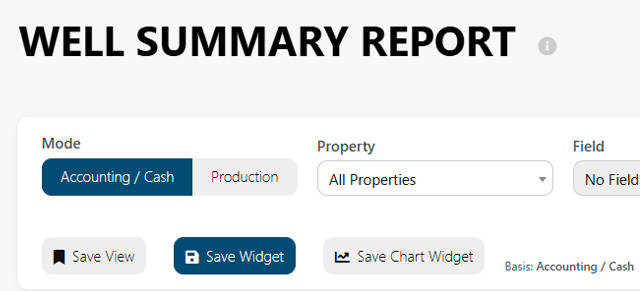
If available, use Save View to preserve the current report setup. A saved view lets you return to the same filters and layout without rebuilding the report manually.
Use clear names such as:
- Monthly LOS Review
- All Properties YTD LOS
- West Field Operating Statement
- Accounting View – Q2 Review
Save Widget
If available, use Save Widget to add the current LOS setup to a dashboard. This is useful when a specific LOS view should be monitored regularly.
For example:
- Current month operating expense
- Field-level LOS summary
- Revenue vs expense overview
- Property-level operating review
Common workflows
Review imported LOS data
- Open the LOS Statement.
- Select the relevant property or field.
- Choose the correct start and end months.
- Select Activity or Accounting view.
- Review high-level totals.
- Drill into any unexpected values.
- Export the statement if needed.
Investigate an unexpected amount
- Find the category or group with the unexpected value.
- Expand the section if account detail is available.
- Open the drilldown for the value.
- Review supporting rows.
- Check vendor, invoice, account, source file, and amount.
- Confirm whether the issue is caused by imported data, filters, or account mapping.
Confirm account mapping
- Open the LOS Statement.
- Find the account or category that looks incorrect.
- Confirm where the value appears.
- Go to LOS Settings.
- Review the related category, group, and account mapping.
- Update the mapping if needed.
- Return to the LOS Statement and refresh the report.
Export a monthly LOS report
- Select the property or field.
- Set the month range.
- Choose Activity or Accounting view.
- Review totals.
- Click Export.
- Choose the desired format.
- Save or share the exported file.
Troubleshooting
The report is blank
Confirm that LOS data has been imported and that the selected property, field, and date range contain data.
Data appears in the wrong category
Review account mapping in LOS Settings.
The totals look wrong
Check the selected view, date range, property, field, and imported data. Also confirm that the account mapping is correct.
A property or field is missing
Confirm that the property or field exists in the imported data and that it is available in the current organization.
Recent data is missing
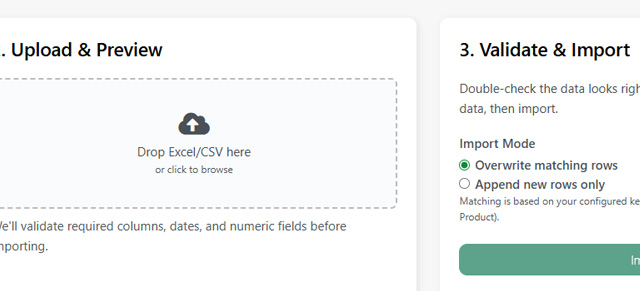
Go to Import LOS Data and confirm the latest file was uploaded and imported successfully. Also check the selected reporting months.
The export does not match what I expected
Confirm the filters and view before exporting. The export follows the current report setup.
Drilldown does not show expected rows
Check the selected view, date range, property, field, and whether the value has transaction-level detail available.