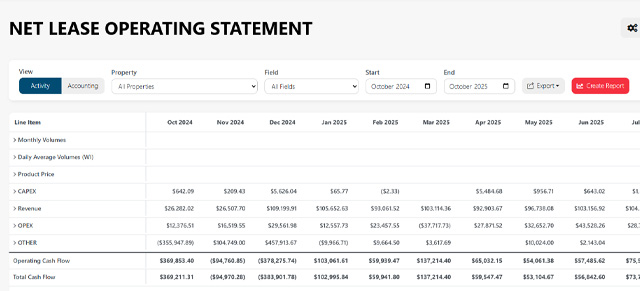
Upstream+ gives you more control over how individual accounts are displayed in a Lease Operating Statement (LOS). In addition to the standard financial presentation of an account, an LOS layout can display certain accounts using Net Value, Net Volume, or Implied Price.
These options are especially useful for revenue accruals, production-related accounts, financial reporting layouts, and other situations where the same source account may need to be represented differently depending on the purpose of the report.
Where These Options Are Used
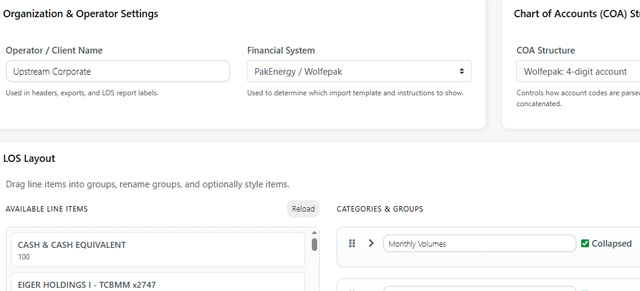
These display options are configured in the LOS Layout Builder.
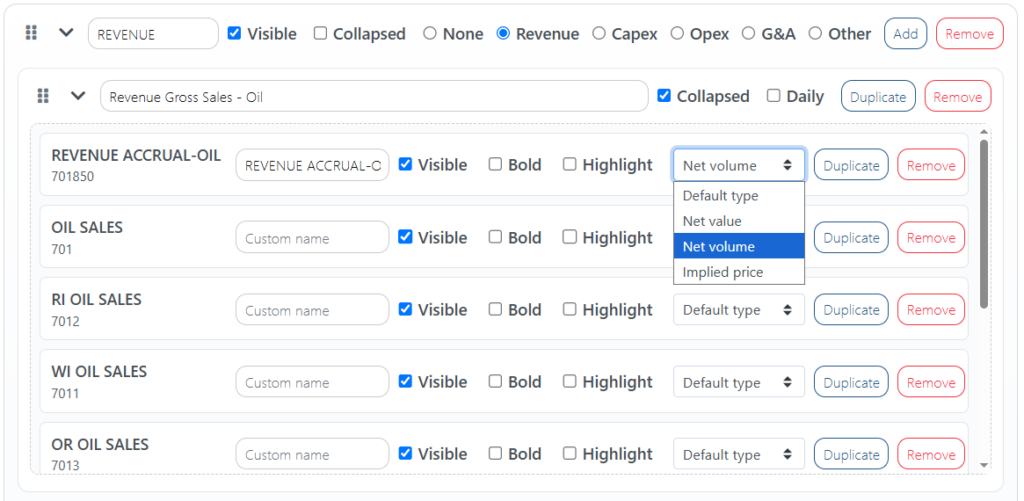
Because they are applied at the individual layout-item level, you can use the same underlying account differently in different LOS layouts without changing the original imported accounting data.
For example, one layout could display an account as a financial value while another layout could use that same account to show volume.
Net Value
Net Value displays the monetary value associated with the selected account.
This can be useful when an account contains both monetary and production-related information and you specifically want the dollar value represented in the LOS.
Net Value is different from Net Volume: it represents the financial amount associated with the account rather than the quantity produced or sold.
Note: The treatment of accounting signs for the Net Value option may depend on the financial system and the account’s reporting configuration. Upstream+ preserves the underlying accounting information so credits, debits, reversals, and adjustments are not lost.
Net Volume
Net Volume displays the volume associated with the selected account rather than its monetary value.
Examples may include:
- MCF of gas
- BBL of oil
- Other production or sales quantities supplied by the accounting data
Net Volume is particularly useful for accounts such as revenue accrual accounts where both a financial value and a volume may be recorded.
Upstream+ preserves the sign of the underlying volume rather than automatically converting every volume to an absolute value. This helps retain the accounting meaning of adjustments and reversals.
Implied Price
Implied Price calculates the price represented by the revenue and volume recorded for an account.
The calculation is:
Implied Price = Gross Revenue Value ÷ Volume
For this calculation, Gross Revenue Value means the sales value before revenue taxes, deductions, or other reductions are applied.
It does not mean the gross working-interest or 8/8 value of the entire well.
Example
If an account contains:
- Gross Revenue Value: $10,000
- Volume: 1,000 MCF
Then:
$10,000 ÷ 1,000 MCF = $10.00/MCF
The resulting Implied Price is $10.00 per MCF.
Why Revenue Deductions Are Not Included
Revenue taxes and deductions reduce the amount ultimately received, but they are not part of the commodity price used for the Implied Price calculation.
For example:
- Gross Revenue: $10,000
- Revenue Taxes and Deductions: $1,500
- Net Revenue: $8,500
- Volume: 1,000 MCF
The Implied Price is calculated using the $10,000 gross revenue value, not the $8,500 remaining after deductions:
$10,000 ÷ 1,000 = $10.00/MCF
This allows the calculated price to be compared more directly with market pricing and other sales-price benchmarks.
What Happens When Volume Is Zero?
A price cannot be calculated when the associated volume is zero or unavailable.
In those cases, Upstream+ leaves the Implied Price blank rather than attempting to divide by zero or display a misleading value.
Choosing the Right Display Type
Use Net Value when you want to see the financial amount associated with the account.
Use Net Volume when you want to see the quantity associated with the account.
Use Implied Price when you want Upstream+ to calculate the effective sales price represented by gross revenue and volume.
Because these settings belong to the LOS layout, they can be customized for the reporting needs of different organizations, stakeholders, or financial reporting workflows.