Upstream+ now creates presentation-ready Excel and PDF exports for the Net Lease Operating Statement and Well Summary Report. The new export workflow is designed to produce files that are useful outside the application—not just raw tables of values.
Report context travels with the file
Exports include a clear report title and relevant context such as the organization, reporting period, current mode, property or field scope, and active LOS layout where applicable. File names also include identifying report information so downloads are easier to organize.
Excel reflects the report hierarchy
Excel workbooks preserve the visual structure that makes the report readable:
- Section and category rows are visually distinct.
- Parent and child rows retain hierarchy and indentation.
- Month headers are formatted consistently.
- The first column remains available while moving across a wide report.
- Negative financial values use accounting-friendly presentation.
- Blank values display cleanly while real zero values remain zero.
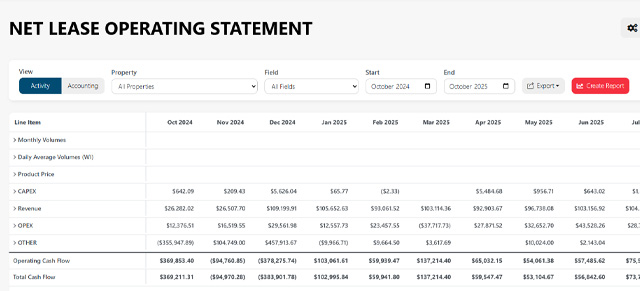
The export also respects the current report setup, including the selected date range, filters, active layout, report mode, visible columns, and expanded or collapsed hierarchy.
PDF exports are ready to share
PDF exports use a landscape report layout with repeated table headers and page information, making longer statements easier to review in meetings or share with stakeholders who do not need access to the application.
One export workflow across core reports
LOS and Well Summary now use a shared export service so report context and presentation remain consistent between financial and well-level analysis.
To prepare a report before downloading it, see Using the Lease Operating Statement (LOS) or Well Summary Report.