The Partner Portal is your all-in-one dashboard for managing referrals, tracking commissions, and getting paid. Whether you’re a referral partner, affiliate, or reseller, this portal gives you complete visibility into your performance and earnings — all powered by Stripe Connect for secure payouts.
Access the Partner Portal
- Login to your Upstream+ account.
- If available, select Upstream+ HQ as the organization
- From the main navigation, click Partner Portal at the top.
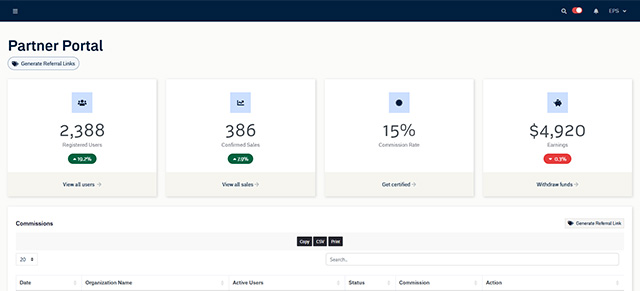
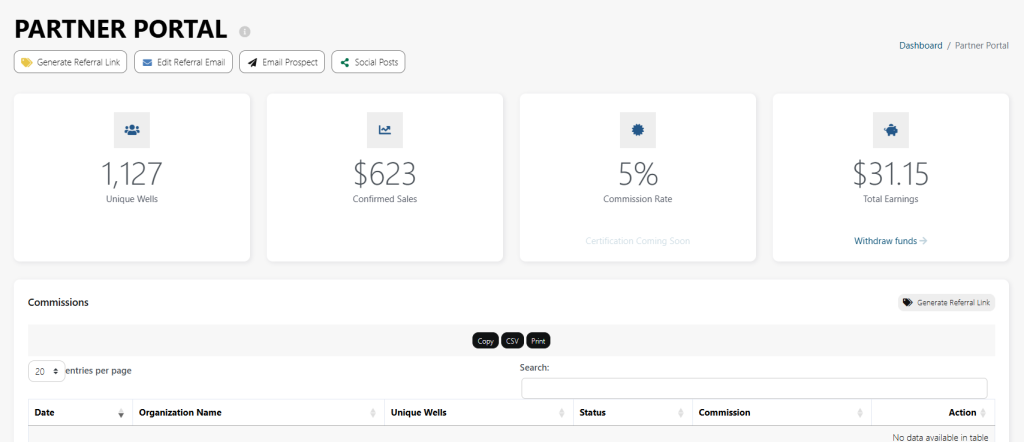
From the Partner Portal dashboard, you have access to the number of active users who have signed-up, the dollar value of the sales your referral link has generated, your commission rate, and the total about of un-withdrawn funds.
Get Your Referral Link
- Once inside the Partner Portal, click Generate Referral Link.
- You can create unique links for different campaigns, prospects, or use cases.
- Copy your link and share it anywhere — by email, in meetings, or on social media.
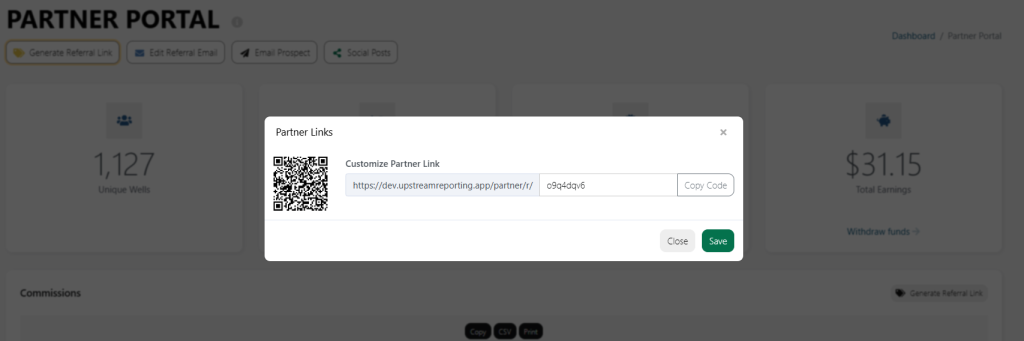
Every time someone signs up for Upstream+ using your link, the system automatically tracks that referral and attributes it to your account.
Withdraw Your Earnings
When your available balance meets the withdrawal threshold:
- Click Withdraw Commission.
- Choose how much you would like to withdraw
- Click Withdraw
- If you have not already setup Stripe Connect to your Bank Account, you will be prompted to do so.
- Confirm the amount and submit your withdrawal request.
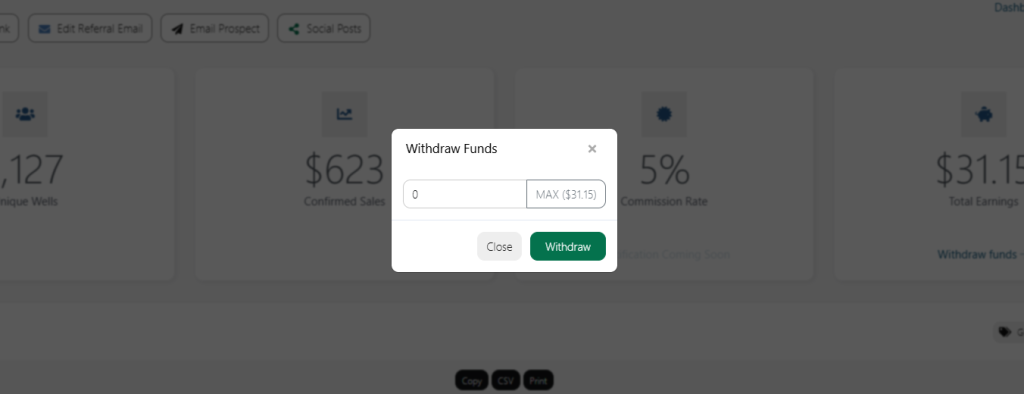
Stripe typically processes payments within 2–3 business days, depending on your bank.
Monitor Your Partner Performance
Use the portal’s analytics to track:
- Top-performing referral sources
- Conversion rates
- Cumulative and monthly commission summaries
This helps you optimize your outreach and grow your earnings faster.
Summary
The Partner Portal makes it easy to manage your Upstream+ partnership — from generating referral links to tracking conversions and receiving payouts. It’s transparent, automatic, and designed to reward your referrals as your network grows.